HR Technology Guide
Cloud-Based HRMS:
Complete Guide (2026)
Quick Answer
What is a cloud-based HRMS?
A cloud-based HRMS (Human Resource Management System) is an online platform that centralises all HR functions â payroll, attendance, leave, recruitment, onboarding, performance, and compliance â in one system accessible from any device, anywhere. Unlike on-premise software, it requires no servers, no IT team, and updates automatically when statutory rules change.
From scattered Excel files and WhatsApp approvals to a unified, automated HR platform — this guide covers everything Indian businesses need to know about cloud-based HRMS.
Book Free Demo
Key Takeaways
-
1
A cloud-based HRMS manages all core HR functions — payroll, attendance, leave, compliance — in one integrated online platform. -
2
Unlike on-premise software, cloud HRMS needs no hardware, no IT team, and is accessible from any device, anywhere. -
3
For Indian businesses, cloud HRMS automates EPF, ESI, TDS, and state PT compliance. -
4
Moving from manual tools to cloud HRMS reduces processing time, eliminates data silos, and improves compliance accuracy. -
5
Modern cloud HR platforms scale from 20 to 2,000 employees without a system change. -
6
Implementation typically takes 2–4 weeks for SMEs, with gains visible within the first payroll cycle.
What Is a Cloud-Based HRMS?
Quick Answer
A cloud-based HRMS (Human Resource Management System) is HR software hosted on the internet that allows businesses to manage their entire HR lifecycle — hiring, onboarding, attendance, payroll, compliance, and more — through a single online platform, accessible from any device.
Traditional HR software is installed on a local server or individual computers. It requires IT maintenance, manual updates, and is accessible only from the office. Cloud-based HRMS is the opposite — it runs on secure remote servers, is updated automatically, and works from any browser or mobile device.
More importantly, cloud HRMS is not just a digital filing cabinet. It is an active system that automates workflows, triggers approvals, calculates payroll, sends notifications, generates reports, and maintains compliance — continuously, in the background.
For Indian businesses managing HR across multiple locations, or with teams that include remote or field employees, cloud-based HR software eliminates the access and coordination barriers that come with on-premise systems.
Why Businesses Are Moving to Cloud-Based HRMS
Remote & Hybrid Work
When employees are distributed across cities or working from home, an HR system on one office server becomes inaccessible. Cloud HRMS means anyone can access the system from any device — office, home, or mobile.
Scalability Without Proportional Cost
Adding 50 employees to a manual system means 50 more rows, 50 more salary calculations, 50 more compliance records. Cloud HRMS absorbs that growth without a corresponding increase in HR headcount or complexity.
Automation Eliminates Repetitive Work
Payroll processing, leave approvals, attendance reconciliation, and compliance filings are recurring, rule-based tasks — exactly what automation handles best. Cloud HR executes these automatically, freeing HR teams for strategic work.
Real-Time Data for Better Decisions
Leadership in growing companies often have no reliable, up-to-date data on headcount, attrition, or CTC. Cloud HRMS provides live dashboards and reports — turning HR data into business intelligence.
Compliance Is Too Complex to Manage Manually
Indian payroll compliance involves EPF (15th deadline), ESI (15th), TDS (7th), and state Professional Tax — each with specific calculation rules, salary thresholds, and filing requirements. Missing one deadline can result in penalties. A cloud HRMS automates these calculations and tracks filing deadlines.
How a Cloud-Based HRMS Works
Cloud Login
HR managers, employees, and admins access the system through a secure web browser or mobile app. No installation required. Role-based access ensures each user sees only what they are permitted to.
Centralized Employee Database
All employee information — personal details, employment history, salary, documents, PAN, UAN, bank account — is stored in one place, updated in real time, and accessible across all modules.
Module-Based Operations
HR functions (payroll, attendance, leave, recruitment, performance) operate as integrated modules. Data flows between them automatically — attendance feeds into payroll, leave balances update in real time.
Real-Time Updates
Any change — a salary revision, a leave approval, a new hire — reflects instantly across all connected modules without manual sync.
Automated Workflows
Approval chains, email notifications, compliance reminders, and payroll processing are triggered automatically based on configured rules.
Reporting and Analytics
Dashboards and downloadable reports give HR heads and business owners real-time visibility into headcount, payroll costs, leave utilization, attendance trends, and compliance status.
Key Modules in a Cloud-Based HRMS
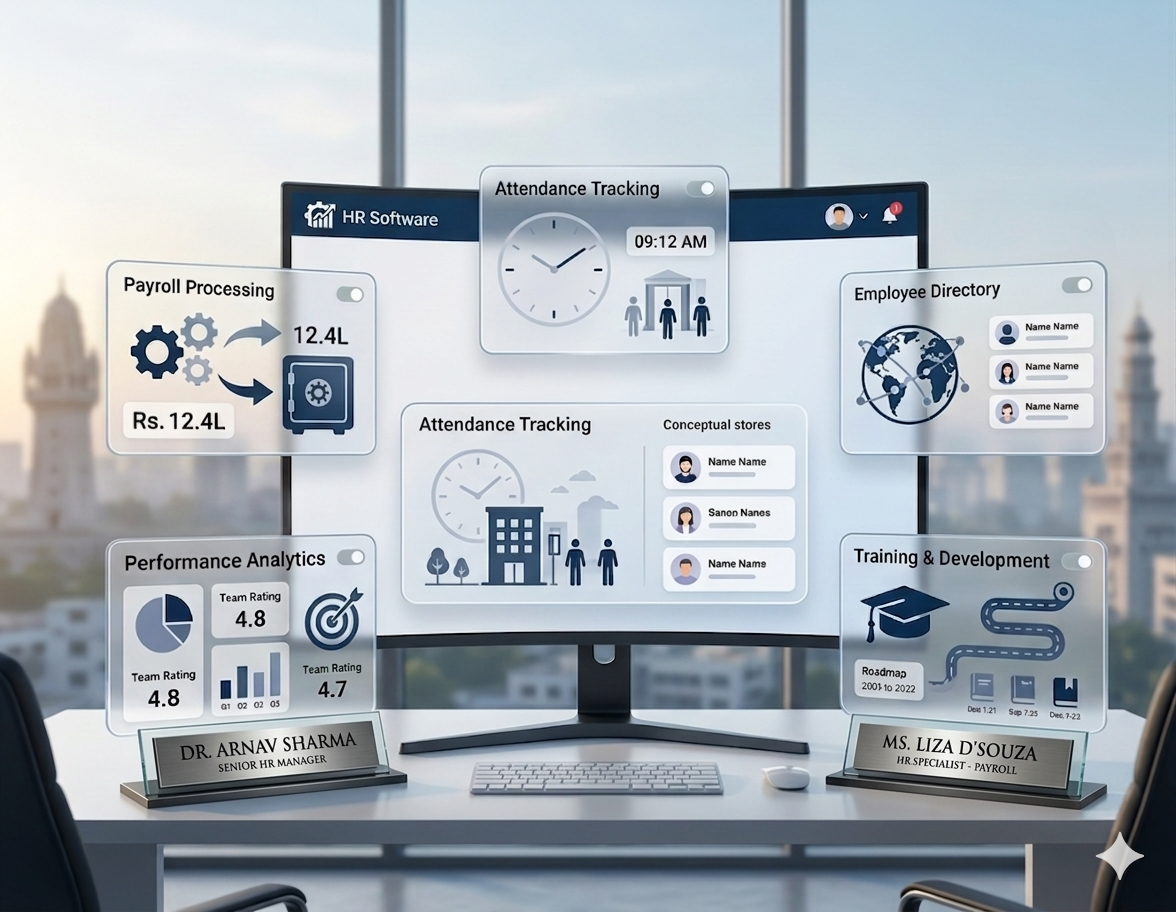
A comprehensive cloud HR platform covers the full employee lifecycle through integrated modules:
| Module | What It Does |
|---|---|
| Core HR / Employee Database | Central repository for all employee records — personal, professional, documents, history. |
| Payroll Management | Automated salary calculation, deductions (EPF/ESI/TDS/PT), payslip generation, bank transfer files. |
| Attendance Management | Tracks daily attendance via biometric integration, app, or web — feeds data directly to payroll. |
| Leave Management | Leave application, approval workflows, balance tracking, and automatic payroll deduction for LOP. |
| Employee Self-Service (ESS) | Employees access payslips, apply for leave, update details, download Form 16 — independently. |
| Recruitment & Onboarding | Job postings, applicant tracking, offer letters, digital onboarding, and document collection. |
| Performance Management | Goal setting, appraisals, reviews, and performance history — connected to compensation data. |
| Expense Management | Employee reimbursement claims, approvals, and integration with payroll processing. |
Key Features Checklist
Verify each of these before selecting a cloud HRMS for your business:
Cloud Accessibility
Login from any device, any location, anytime — no VPN or office dependency.
Data Security
Role-based access control, encrypted data storage, GDPR and IT Act compliance.
Automation Workflows
Configurable approval chains, scheduled payroll, compliance reminders.
Real-Time Reporting
Live dashboards for headcount, payroll cost, attendance, leave, and compliance.
Mobile App Access
Full HR functionality on Android and iOS for both HR teams and employees.
Integration Capabilities
Native connections with biometric devices, accounting software, and third-party tools.
Scalability
Handles employee count growth without performance degradation or licensing complexity.
Role-Based Access
HR, manager, employee, and admin views configured separately with appropriate permissions.
Benefits of Cloud-Based HRMS
For Employees
-
✓
Self-Service Access — Apply for leave, check attendance, view payslips, and download tax documents without raising a ticket to HR. -
✓
Transparency — Real-time salary breakdowns, leave balances, and reimbursement status — no more chasing HR. -
✓
Better Experience — Digital onboarding, clear communication, and fast approvals improve satisfaction from day one.
For HR & Business
-
✓
Centralized Data — Single source of truth — no conflicting Excel files or outdated records. -
✓
Time Savings — Payroll processing reduced from days to hours. Compliance reports generated in minutes. -
✓
Compliance Support — EPF, ESI, TDS, and PT calculated automatically with current rates; deadlines tracked and alerted. -
✓
Better Decision-Making — Real-time HR data enables informed decisions on hiring, cost, and workforce planning.
Cloud-Based HRMS vs On-Premise HRMS
| Parameter | On-Premise HRMS | Cloud-Based HRMS |
|---|---|---|
| Setup Cost | High — servers, licenses, IT infrastructure | Low — subscription-based, no hardware |
| Accessibility | Office network only | Anywhere, any device, any time |
| Maintenance | Requires dedicated IT team | Managed by vendor, automatic updates |
| Scalability | Limited by server capacity | Scales on demand with business growth |
| Software Updates | Manual, costly, disruptive | Automatic, frequent, zero downtime |
| Implementation Time | 3–6 months | 2–4 weeks for most SMEs |
| Remote Access | Requires VPN setup | Native — works from browser or app |
| Disaster Recovery | Dependent on local backup systems | Automatic cloud backups, high availability |
Who Should Use a Cloud-Based HRMS?
Cloud HRMS is not reserved for large enterprises. Its impact is highest for businesses that are growing and cannot afford HR errors:
🏢
SMEs (20–500 Employees)
Managing HR manually beyond 20 people creates errors and compliance risk. Cloud HRMS provides enterprise-grade capability without enterprise cost.
🚀
Startups Scaling Rapidly
Headcount growing from 10 to 50 to 150 in 12–18 months demands a system that grows with you — not one you outgrow.
📍
Multi-Location Organizations
Companies operating across cities or states need centralized HR data with location-specific payroll rules and multiple bank accounts.
🏠
Remote & Hybrid Workforces
When employees work from home or in the field, cloud-based HR is the only viable HR system — there is no office server to connect to.
⚖️
Compliance-Heavy Businesses
Manufacturing, healthcare, IT, and hospitality companies with large workforces require consistent, automated compliance that manual processes cannot reliably deliver.
Common Problems Without a Cloud-Based HRMS
If your HR team is experiencing any of these, your current system is creating measurable business risk:
Data Silos
Attendance in one tool, leave in email, payroll in Excel, and employee records in a separate folder. No single version of truth — every process runs on a different, disconnected dataset.
Manual Errors
Salary miscalculations, incorrect LOP deductions, missed bonus payments — common outcomes of formula-driven spreadsheets where one wrong cell affects the entire payroll run.
Lack of Visibility
HR heads and business owners have no real-time picture of headcount, costs, or compliance status without running manual reports — which are often outdated before they are even complete.
Compliance Risk
Without automated EPF, ESI, and TDS calculation, Indian businesses face frequent errors and missed deadlines — leading to penalties, interest charges, and legal notices from EPFO or Income Tax authorities.
HR Inefficiency
HR teams spending 40–60% of their time on administrative tasks — data entry, payslip distribution, leave tracking — that systems should handle automatically, leaving no bandwidth for strategic HR work.
Poor Employee Experience
Employees frustrated by slow leave approvals, unavailable payslips, and opaque HR processes are more likely to disengage and leave — directly impacting retention and morale.
How to Choose the Right Cloud-Based HRMS
The cloud HR software market is crowded. Many tools look similar on the surface. Evaluate on these factors to find what works for your business:
Ease of Use
Your HR team and employees need to use this daily. If onboarding requires weeks of training, adoption will fail. Prioritize clean UX and guided setup.
Modules Included
List your core needs: payroll, attendance, leave, ESS, recruitment. Confirm each module is genuinely functional — not just listed as a feature.
Integration Capabilities
Does it connect with your biometric device, accounting software (Tally, Zoho Books), or existing tools? Integration reduces double entry and errors.
India Compliance Depth
Go beyond checking if EPF and TDS are mentioned. Ask: Does it auto-calculate PT by state? Does it generate Form 24Q? Does it create PF challan in ECR format?
Security Standards
Look for AES-256 encryption, role-based access, audit logs, two-factor authentication, and ISO 27001 certification.
Scalability
Can it handle 10x your current headcount without re-implementation? What happens when you add a new legal entity or office location?
Support Quality
Payroll runs on tight deadlines. Your vendor’s support team needs to be reachable when your payroll cycle is running — not just during business hours.
How Cloud HRMS Connects All HR Functions
The most important advantage of a cloud-based HRMS is not any individual module — it is integration. Here is why this matters in practice:
Attendance → Payroll
Present days, LOP, and overtime flow directly into salary calculation. No manual reconciliation needed before every payroll cycle.
Leave → Payroll
Approved leave balances and unpaid leave deductions update payroll automatically before every cycle — no spreadsheet exports required.
Employee Database → Compliance
PAN, UAN, and salary data maintained in one place ensures accurate TDS and EPF calculations without re-entry across systems.
ESS → HR Efficiency
When employees independently access payslips, apply for leave, and update details, HR teams handle 30–40% fewer routine requests.
The integration problem: Running payroll, attendance, and leave in separate tools forces HR teams to export, reconcile, and manually combine data — creating exactly the errors that automation was supposed to prevent. A unified cloud HRMS eliminates that cycle entirely.
Related Resources
- → HRMS Software for Indian Businesses
- → Payroll Management System: Complete Guide
- → Attendance Management System: Complete Guide
- → Leave Management System: Complete Guide
- → HR Software Chennai — Overview
Cloud HRMS Implementation Guide
A smooth implementation depends on preparation, not just the software. Follow this structured approach:
Assess Your Current HR Processes
Document what you do today: how payroll is run, how attendance is tracked, how leave is managed. Identify pain points and gaps before selecting a system.
Define Requirements
List must-have modules, integration needs (biometric, accounting), compliance requirements (states, entities), and team size to guide your vendor shortlist.
Shortlist and Select Software
Evaluate 2–3 vendors with a live demo using your actual scenarios. Test payroll calculation, leave workflow, and compliance reports specifically — not just a scripted demo.
Data Migration
Export and clean existing employee data (profiles, salary history, leave balances). The vendor should provide a migration template and validation process to confirm accuracy.
System Configuration
Set up salary structures, leave policies, statutory rules, approval workflows, and access permissions before going live. Do not skip this step.
Training
Train HR admins on payroll processing, compliance filing, and reporting. Train managers on approval workflows. Distribute access credentials with a brief walkthrough for employees.
Parallel Run and Go Live
Run one payroll cycle in both the old system and the new simultaneously. Verify outputs match before decommissioning the old process. This is the most important validation step.
Real Business Use Cases
SME — Ahmedabad-Based Logistics Company · 60 Employees
A logistics company managing 60 employees across two depots was running payroll on Excel and tracking attendance through a biometric device with no software integration. Monthly payroll took 4 days and frequently had LOP errors. After implementing cloud HRMS, biometric data integrated directly into the payroll module, processing time dropped to 5 hours, and the HR manager redirected saved time to driver compliance tracking.
IT Startup — Pune · Scaling 18 → 90 Employees in 14 Months
A SaaS startup experienced the classic scaling problem: HR processes that worked fine at 18 people became unmanageable at 50. Leave was tracked in Google Sheets, payroll was outsourced, and new hire onboarding took 2 weeks of HR involvement. After cloud HRMS implementation, onboarding was reduced to a self-guided 2-day digital process, and the HR team of two handled payroll for 90 employees with no outsourcing.
Multi-Location Retail — 5 Outlets Across Gujarat
A retail chain with outlets in Ahmedabad, Surat, Rajkot, Vadodara, and Gandhinagar had no centralized HR data. Each location maintained its own attendance register and salary records. Compliance filings were inconsistent. After deploying cloud HRMS with multi-location support, all five outlets operated on a single payroll cycle, PT was applied correctly by city, and the founder accessed real-time headcount and cost reports from his phone.
Final Thoughts
HR is not an administrative function — it is the infrastructure of your business. Every employee you hire, every salary you process, every compliance filing you submit is a direct outcome of how well your HR systems work.
Manual processes and disconnected tools are not just inefficient — they are risky. In a regulatory environment where EPF, ESI, TDS, and labour law compliance are non-negotiable, a system that depends on human accuracy every month is a liability.
Cloud-based HRMS gives growing Indian businesses what they have always needed: a reliable, scalable, compliant HR backbone that works from anywhere and grows without friction. It is not a luxury for large companies — it is a practical necessity for any business that takes people management seriously.
The question most businesses face is not whether to move to cloud HR software — but how quickly they can make the transition before the next payroll error or compliance miss forces the decision.
Ready to Evaluate Cloud HRMS for Your Business?
See how a unified cloud HR platform handles payroll, attendance, leave, and compliance for Indian businesses — in one 30-minute walkthrough.
Explore HRMS Software
Cloud HRMS Adoption in Chennai & Tamil Nadu
Cloud-based HRMS adoption is accelerating among Chennai businesses â particularly IT companies in OMR, manufacturing units in Ambattur SIDCO, and growing SMEs in Guindy and Chromepet. The advantage: no IT infrastructure, instant multi-location access, and automatic statutory updates when Tamil Nadu Professional Tax slabs, EPF rates, or Code on Wages rules change. HR teams managing employees across Chennai, Coimbatore, Madurai, and Trichy run everything from a single cloud dashboard.
Frequently Asked Questions
What is a cloud-based HRMS?
A cloud-based HRMS is HR software hosted online that manages employee records, payroll, attendance, leave, and compliance through a single internet-accessible platform — with no hardware installation required.
How is cloud HRMS different from traditional HR software?
Traditional HR software is installed on a local server, accessible only from the office, and requires IT maintenance. Cloud HRMS runs on remote servers, is accessible from any device, updates automatically, and scales without hardware investment.
Is cloud HRMS secure for employee data?
Yes. Reputable cloud HRMS platforms use AES-256 encryption, role-based access control, two-factor authentication, regular security audits, and ISO 27001-certified infrastructure. Data is often more secure than on local servers.
Can a cloud HRMS handle Indian payroll compliance?
Yes. A cloud HRMS built for India automates EPF (12% of basic), ESI (0.75% employee contribution), TDS (monthly computation), and state-wise Professional Tax — along with generating compliance reports, challans, and Form 24Q for filing.
Is cloud HRMS suitable for small businesses?
Absolutely. Cloud HRMS is particularly well-suited for SMEs because it delivers enterprise-grade HR capability at a subscription cost, requires no IT team, and can be implemented in 2–4 weeks. It scales as you grow — you do not outgrow it.
What modules are typically included in a cloud HRMS?
A full-featured cloud HRMS includes: Core HR (employee database), Payroll, Attendance, Leave, Employee Self-Service, Recruitment and Onboarding, Performance Management, and Expense Management.
How long does it take to implement cloud HRMS?
For most SMEs, implementation takes 2–4 weeks, including data migration, configuration, and training. Cloud-based systems are significantly faster to deploy than on-premise solutions, which can take 3–6 months.
Can cloud HRMS support multiple office locations?
Yes. Cloud HRMS handles multi-location payroll with location-specific PT rules, separate attendance setups, and consolidated reporting — all within a single platform accessible from every office.