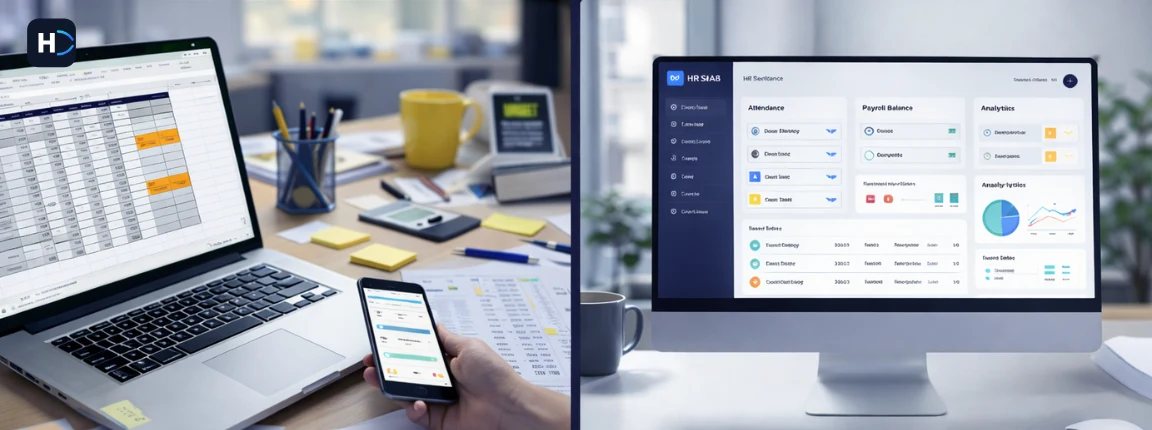
What Is an Employee Self-Service Portal?
In simple terms: instead of emailing HR to check leave balance or download a payslip, employees log in and do it themselves.
The ESS portal is typically a feature within a larger HRMS (Human Resource Management System). It creates a direct connection between the employee and their HR data — in real time, from any device.
Common names you will come across:
ESS portal • Employee portal • Self-service HR portal • HRMS employee portal • Employee self-service software
All refer to the same concept: putting HR access directly in the hands of employees.
Why Businesses Need an Employee Self-Service Portal
Most HR teams in India are running lean. A 3–5 person HR team managing 200–500 employees is common in SMEs. The workload is real, and much of it is repetitive.
Here is what happens without a self-service system:
- HR receives 20–40 routine queries per day — payslips, leave status, attendance corrections
- Employees wait 1–3 days for simple information they need immediately
- Payroll processing is delayed because input data is manually collected and corrected
- Tax documents like Form 16 are distributed physically or through email chains
- Leave records are maintained in spreadsheets, leading to mismatches and disputes
- Employee frustration rises when HR response is slow or inconsistent
The result: HR is reactive, not strategic. The business loses productivity on both sides — HR team and employees.
An ESS portal removes this cycle. Employees get instant access. HR gets breathing room. The organization runs more efficiently.
How an Employee Self-Service Portal Works (Step-by-Step)
The workflow is simple and consistent across most ESS systems:
Step 1
Employee Login
Each employee gets a unique login (email or employee ID + password). Access is role-based and secure.
Step 2
Access the Dashboard
The employee sees a personalized dashboard: leave balance, upcoming holidays, pending tasks, recent payslips.
Step 3
Apply for Leave or Check Attendance
Employee submits leave requests, views attendance records, and raises correction requests if needed.
Step 4
Download Payslips and Tax Documents
Monthly payslips, Form 16, Form 12BB (investment declarations) are available on demand — generated by the payroll system.
Step 5
Submit Requests and Update Information
Employees update personal details, submit reimbursement claims, or acknowledge HR policies.
Step 6
HR Approval Workflow
Requests are routed to the relevant manager or HR for approval. Employees get real-time status updates.
No emails. No waiting. No manual tracking. The process is self-contained and transparent.
Key Features Checklist for an Employee Self-Service Portal
When evaluating ESS portal software, use this checklist to ensure you are not missing any critical functionality:
Benefits of an Employee Self-Service Portal
The impact of an ESS portal is felt differently by employees and by HR teams. Here is a clear split:
For Employees
For HR & Business
Employee Self-Service Portal vs Traditional HR Management
| Parameter | Traditional HR | ESS Portal |
|---|---|---|
| Payslip Access | Emailed by HR monthly or on request | Available 24/7 on the portal |
| Leave Application | Email or paper form — takes 1–2 days | Submitted and approved in minutes |
| Attendance Correction | Employee raises email, HR manually updates | Self-request with manager approval workflow |
| Tax Document Access | Distributed once a year via email/print | Always accessible — download anytime |
| Data Accuracy | High risk of manual errors | Data synced directly from HRMS |
| HR Workload | 20–40 queries per day handled manually | Routine queries handled by employees themselves |
| Employee Transparency | Limited — employees depend on HR for information | Full — employees see their own data in real time |
| Compliance Readiness | Risk of delays in document distribution | Statutory documents auto-generated and accessible |
Who Should Use an Employee Self-Service Portal?
An ESS portal is relevant for most businesses — but it delivers the most impact in specific scenarios:
SMEs with 50–500 Employees
Where a small HR team handles a large volume of routine tasks. ESS delivers immediate relief on query volume and payroll input accuracy.
IT and Tech Companies
Employees are comfortable with digital tools and expect instant access to their HR information without waiting for HR response.
Manufacturing and Industrial Firms
Managing large shift-based workforces with complex attendance needs — self-service correction workflows are essential.
Multi-Location Businesses
Employees spread across cities cannot walk into HR in person. ESS removes the location barrier entirely — one portal, all locations.
Payroll-Heavy Organizations
Processing salary for hundreds of employees monthly with statutory obligations needs automated data collection — not manual input each cycle.
Companies Planning HR Digitization
ESS is the entry point to building a fully automated HR system. It is the most visible first win for employees and HR alike.
If your HR team is regularly handling requests that employees could resolve themselves with the right access, an ESS portal is overdue.
Common Problems Without an ESS Portal
Organizations that have not yet adopted an employee self-service system typically face a predictable set of issues:
HR Overload
HR spends 2–3 hours daily answering queries that have nothing to do with strategy, hiring, or compliance. This creates a bottleneck across all HR functions.
Delayed Approvals
Leave and reimbursement requests get stuck waiting for HR or managers to respond to email. Employees are left in the dark about the status.
Employee Frustration
When employees cannot access basic information about their own salary, leave, or attendance, satisfaction drops. This contributes to disengagement and attrition.
Data Entry Errors
Manual attendance collection, leave tracking on spreadsheets, and payroll input via email creates a chain of errors. Salary corrections and disputes follow.
Compliance Risk
Without automated document management, statutory documents like Form 16, PF slips, and ESI statements may be delayed, misplaced, or incorrectly distributed — creating audit and legal risk.
How to Choose the Right Employee Self-Service Portal
Not every ESS portal is built the same. Here is what to evaluate before you commit:
India-Specific Note
Ensure the ESS portal supports PF UAN linking, ESI card access, Tamil Nadu Professional Tax (PT) where applicable, and generates Form 16 and investment declaration forms natively. Global platforms adapted for India often miss these details.
How an ESS Portal Fits Into Your HRMS
An ESS portal is not a standalone product. It is a layer inside your HRMS (Human Resource Management System) — the face that employees see while the HRMS engine runs behind it. Here is how ESS connects with other HR modules:
| HRMS Module | How ESS Connects |
|---|---|
| Payroll Software | Payslips generated by payroll engine are instantly available on ESS portal |
| Attendance Management | Employee clock-in data and correction requests feed directly from ESS |
| Leave Management | Leave applications submitted via ESS sync with leave module in real time |
| Onboarding Software | New employees complete document submission and policy acknowledgement through ESS |
| Compliance & Statutory | PF slips, ESI cards, Form 16, TDS certificates are auto-published to ESS |
| Performance Management | Employees access appraisal forms, goals, and feedback through ESS portal |
This is why choosing an ESS portal that is part of a full HRMS makes more sense than choosing an isolated employee portal. The real value comes from connected data — not just a pretty interface.
See related: HRMS Software | Payroll Software | Leave Management System | Attendance Management System
Implementation Guide: How to Roll Out an ESS Portal
Deploying an ESS portal is not just a software setup. It requires process alignment, employee communication, and phased adoption. Here is a practical rollout plan:
Step 1
Audit Your Current HR Processes
List every routine query HR receives in a week. Identify which ones an ESS portal would eliminate. This becomes your ROI baseline.
Step 2
Define Your Requirements
Decide which features matter most: payslip access, leave, attendance, or full HRMS integration. Prioritize based on pain points.
Step 3
Select the Right Software
Use the checklist in the previous section. Request demos from shortlisted vendors. Involve HR and one department head in evaluation.
Step 4
Migrate and Configure Data
Upload employee master data, leave policies, salary structures, and attendance configurations. Validate against existing records.
Step 5
Run a Pilot With One Department
Roll out to one team first. Collect feedback, fix issues, and refine the workflow before company-wide launch.
Step 6
Train Employees and Managers
Conduct a 30-minute walkthrough for employees. Train managers on the approval workflow. Share a quick-reference guide.
Step 7
Monitor Adoption and Optimize
Track login rates and usage by module for the first 60 days. Address resistance. Measure reduction in HR queries as your success metric.
Final Thoughts
Manual HR is not just slow — it is expensive. Every hour your HR team spends answering payslip queries or correcting leave records is an hour not spent on hiring, compliance, or culture.
An employee self-service portal is not a luxury for large enterprises. For Indian SMEs managing 50 to 500 employees, it is one of the highest-ROI investments in HR operations. Employees get instant access to their own data. HR teams get time back. The business gets fewer errors, faster payroll, and cleaner compliance.
If you are evaluating HR software for your business, ensure the ESS portal is not an afterthought — it should be a core module connected to your payroll, leave, and attendance system.
See related: HRMS Software India | Payroll Software | Onboarding Software | Attendance Management System