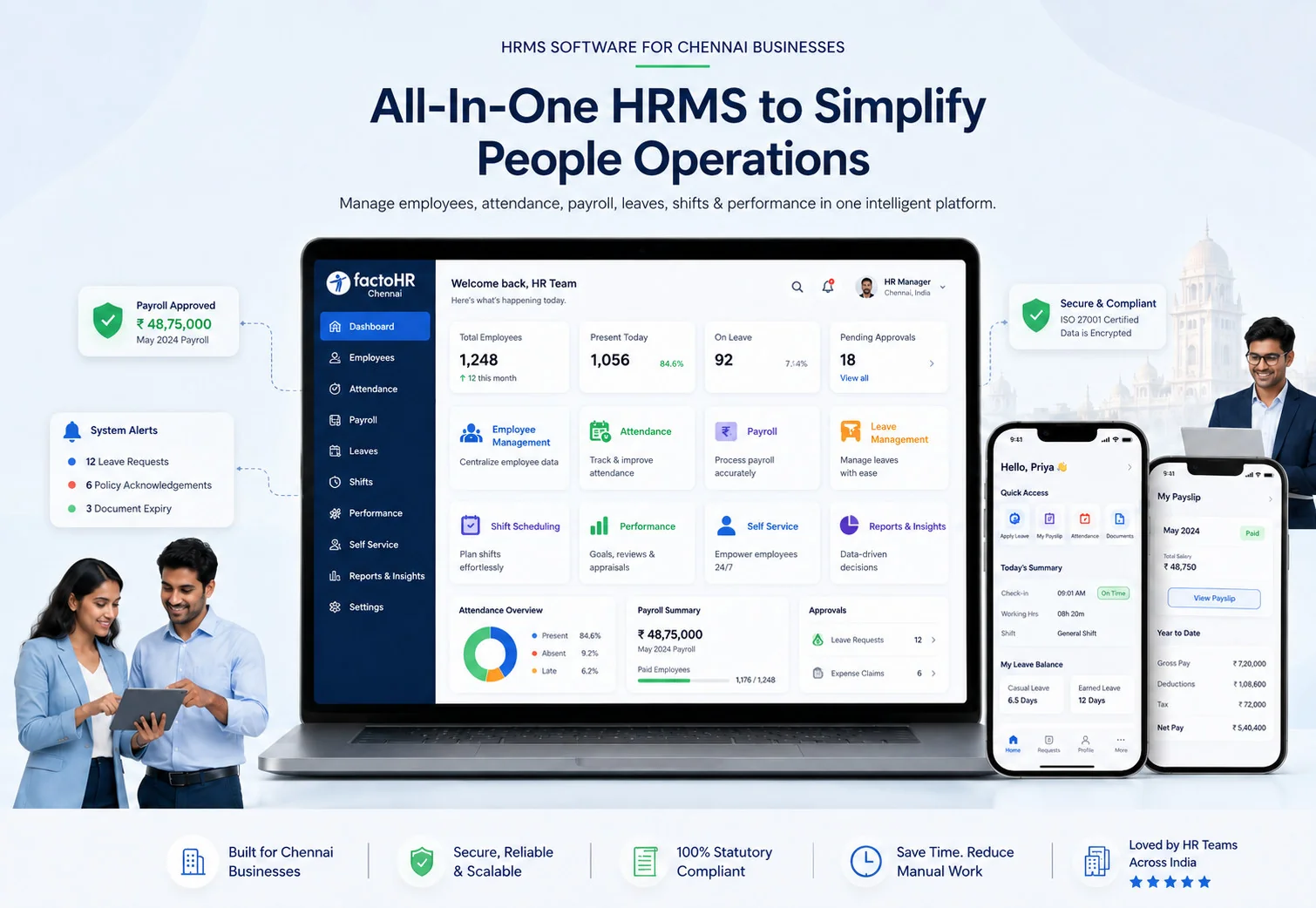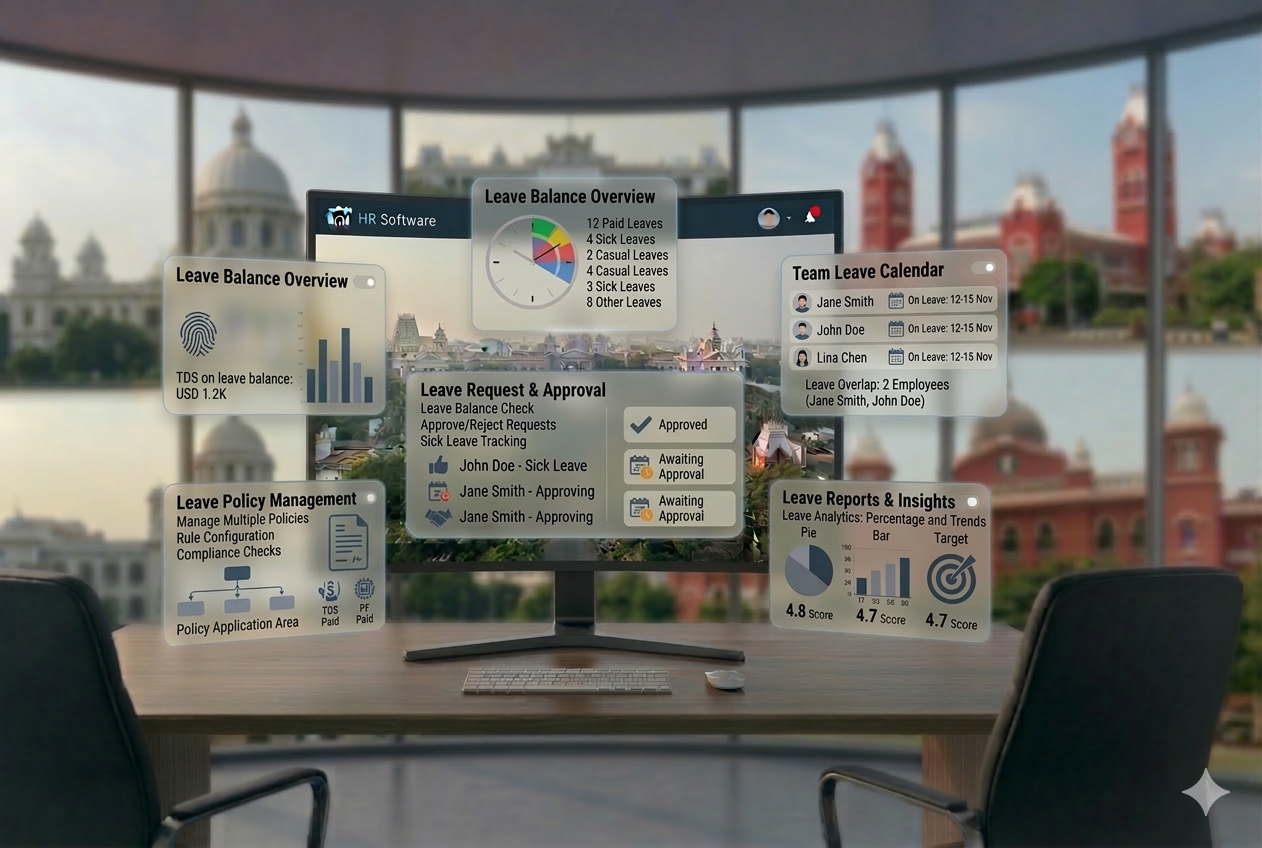
Leave Management Guide
Leave Management System: Complete Guide (2026)
Ask any HR manager what eats most of their time during the first week of each month. Leave reconciliation comes up every time. Who applied for leave last week? Was it approved? Was it counted in the payroll? Did the attendance data get updated? A leave management system eliminates this entire cycle.
Audience: HR Leaders & Founders
Read Time: 13 min
Key Takeaways
- ✓Definition: A leave management system automates the entire employee leave lifecycle — application, approval, balance tracking, and payroll sync.
- ✓Core Problem Solved: Eliminates manual leave tracking in Excel, reduces approval delays, and ensures payroll reflects accurate leave data every cycle.
- ✓India Context: Supports CL, SL, EL, Maternity, Comp-off with configurable policies per company, state, and employment type.
- ✓Integration is Essential: Delivers maximum value when connected to attendance tracking, payroll software, and employee self-service portal.
- ✓Fits All Business Sizes: SMEs, IT companies, and multi-location businesses — any organization tracking leave manually is a candidate.

When leave is tracked in Excel — or worse, on WhatsApp and email — leave balances get miscalculated. Payroll processes salary for employees who were absent without approval. Managers approve leave without knowing team coverage. Employees do not know how many days they have left.
A leave management system eliminates this entire cycle. It automates leave requests, approvals, balance tracking, and payroll sync — giving HR, managers, and employees a single source of truth for all leave data. This guide walks you through everything you need to know: what a leave management system is, how it works, which leave types it manages, what features to look for, and how to implement one in your organization.
Definition
What Is a Leave Management System?
Quick Answer
A leave management system is software that automates how employees apply for leave, how managers approve or reject it, how balances are tracked, and how leave data syncs with attendance and payroll — replacing manual, error-prone processes.
At its core, it removes HR from the middle of every leave transaction. Employees apply through a portal or app. The system checks their balance, routes the request to the right manager, processes the approval, updates the attendance record, and flags the data for payroll — automatically.
HR is only involved when policy exceptions arise or disputes need resolution. Routine leave administration happens without a single email or spreadsheet.
You will also see it referred to as: leave tracking system, employee leave management software, leave automation system, or HR leave management system. In most modern platforms, it is a module within a full HRMS (Human Resource Management System).
Why Businesses Need a Leave Management System
The case for a leave management system is not theoretical. These are the problems it directly solves:
Manual Errors in Leave Tracking
Excel-based leave trackers are prone to version conflicts, formula errors, and missed updates. A single row error cascades into a payroll dispute at month-end.
HR Dependency for Routine Transactions
Every leave request routed through HR creates a bottleneck. In teams of 100+, HR receives dozens of leave-related queries per week — all of which could be handled by the system itself.
Payroll Impact from Leave Errors
Unapproved leaves not reflected in payroll result in overpayments. Leave without pay not deducted on time creates financial leakage. Payroll corrections erode employee trust.
Poor Employee Visibility
When employees do not know their leave balance, they either hoard leaves or unknowingly go into negative balance. Both situations create conflict at the time of settlement.
Compliance and Policy Risks
Indian labour law requires businesses to provide minimum leave entitlements. Without a system enforcing leave policies, organizations risk non-compliance — especially during statutory audits or employee disputes.
How a Leave Management System Works (Step-by-Step)
Understanding the workflow helps HR teams see exactly where manual steps are replaced by automation:
Step 1
Employee Applies for Leave
The employee logs into the portal or mobile app, selects leave type, chooses dates, and submits the request. The system instantly shows their available balance before submission.
Step 2
System Checks Leave Balance
The system verifies whether the employee has sufficient balance for the requested leave type. If not, it flags it as leave without pay or blocks the request based on policy configuration.
Step 3
Manager Approval Workflow
The request is automatically routed to the reporting manager. The manager approves, rejects, or requests modification through their own portal or app. Notifications are sent at each stage.
Step 4
Leave Updated in System
Upon approval, the leave balance is deducted, the employee’s leave record is updated, and the calendar is marked. The employee receives a confirmation notification.
Step 5
Sync with Attendance
The approved leave is reflected in the attendance management system automatically. No manual update is needed. The employee’s attendance record for those days shows the correct leave type.
Step 6
Sync with Payroll
At payroll cut-off, leave data — paid leaves, leaves without pay, comp-offs used — flows into the payroll engine. Salary is calculated accurately without manual intervention.
The entire process — from leave application to payroll impact — runs without a single email or spreadsheet update.
Types of Leave Managed in the System
A good leave management system supports all standard leave types as defined by Indian labour law and company policy. Here is a reference table:
| Leave Type | Code | Typical Days/Year | Notes |
|---|---|---|---|
| Casual Leave | CL | 6–12 days | Short-notice leave for personal reasons. Usually non-encashable and non-carry-forward. |
| Sick Leave | SL | 6–12 days | For illness or medical emergencies. May require a medical certificate for extended periods. |
| Earned Leave / Privilege Leave | EL / PL | 15–30 days | Accrues based on days worked. Can be carried forward and encashed. Governed by state-specific Shops & Establishments Acts. |
| Maternity Leave | ML | 26 weeks | Mandatory under the Maternity Benefit Act, 1961. Applies to women employees with 80+ days of service. |
| Paternity Leave | PTL | 3–15 days | Not mandated by central law but offered by many organizations and PSUs as policy. |
| Comp-Off / Compensatory Leave | CO | As earned | Given in lieu of working on holidays or weekends. Has an expiry window per policy. |
| Leave Without Pay | LWP | As applicable | When all leave balances are exhausted. Deducted directly from salary. |
| Bereavement / Special Leave | BL / SL2 | As per policy | Company-specific. Granted for family emergencies, marriage, or other personal events. |
India Compliance Note
Leave entitlements in India vary by state under the Shops and Establishments Act. Tamil Nadu, Maharashtra, Karnataka, and other states have specific minimum leave requirements. A good leave management system allows state-wise policy configuration.
Key Features Checklist for a Leave Management System
Before selecting a leave tracking system, verify these features are present and functional:
Benefits of a Leave Management System
For Employees
For HR & Business
Leave Management System vs Manual Tracking
| Parameter | Manual / Excel Tracking | Leave Management System |
|---|---|---|
| Leave Application | Email or in-person request to HR | Self-service via portal or mobile app |
| Approval Speed | 1–3 days depending on HR availability | Minutes — automated workflow with notifications |
| Balance Accuracy | Updated manually — often delayed or wrong | Real-time update on every approval |
| Payroll Impact | Manual LWP calculation — high error rate | Automatic sync with payroll at cut-off |
| Policy Enforcement | Dependent on HR memory and manual checks | Rules configured in system and enforced automatically |
| Employee Visibility | Employee must ask HR for balance | Employee sees balance in real time — 24/7 |
| Scalability | Breaks down beyond 50 employees | Scales to hundreds with zero added effort |
| Audit Trail | Difficult to reconstruct past records | Complete, timestamped history always available |
Who Should Use a Leave Management System?
Any organization where HR currently tracks leave manually is a candidate. The impact is highest in these scenarios:
SMEs with 30–300 Employees
Where HR is lean and manual leave processing takes disproportionate time each week. ROI is visible within the first payroll cycle.
IT and Technology Companies
Flexible leave policies, work-from-home arrangements, and high employee count make manual tracking impractical beyond 30 employees.
Multi-Location Businesses
Centralized leave reporting across branches and cities — with state-specific holiday calendars — is impossible to manage reliably in Excel.
Manufacturing and Factory Environments
High headcount, shift-based work, and leave-linked compliance requirements demand automated tracking.
Companies Planning HR Digitization
Leave management is often the first HRMS module businesses adopt — it delivers immediate, visible ROI with minimal implementation complexity.
Common Problems Without a Leave Management System
Leave Conflicts and Coverage Gaps
Without a centralized leave calendar, multiple team members take leave on the same dates. Managers have no visibility until it is too late to arrange coverage.
Payroll Mistakes from Leave Errors
LWP not deducted, encashment miscalculated, or comp-offs not tracked — each one creates a salary error that requires correction, employee communication, and often a revised payslip.
Policy Misuse and Balance Manipulation
In manual systems, leave balances can be altered without an audit trail. Employees may take more leave than entitled, or HR may apply policies inconsistently across departments.
HR Overload During Peak Periods
During year-end, festivals, and school holidays, leave requests spike. Without a system, HR is overwhelmed managing requests, checking balances, and updating records simultaneously.
Employee Dissatisfaction
When employees do not know their leave balance, face unexplained deductions, or receive slow approvals, their trust in HR processes erodes — a direct contributor to attrition.
How to Choose the Right Leave Management System
Use this decision guide when evaluating leave management software for your business:
How Leave Management Connects with Payroll and HRMS
A leave management system used in isolation is only half the solution. The real value comes from integration with the rest of your HR infrastructure:
| Connected Module | Integration Point |
|---|---|
| Payroll Software | LWP, paid leave, and comp-off data auto-syncs to payroll at cut-off — no manual input, no errors. |
| Attendance Management System | Approved leaves appear in attendance records instantly — both systems always in sync. |
| Employee Self-Service Portal | Employees apply, track approvals, and view balances through the same portal they use for payslips and attendance. |
| HRMS Employee Records | Leave policy assignment and balance initialization are linked to employee profile — auto-configured at onboarding. |
| Compliance & Statutory Reports | Leave records feed into labour law compliance reports — available for statutory audits without manual preparation. |
| Onboarding Software | New employee leave policy and opening balance are set automatically based on joining date and employment type. |
This is why choosing a leave management system that integrates natively with your HRMS and payroll platform matters more than standalone feature count. Disconnected tools create exactly the kind of manual reconciliation you are trying to eliminate.
See related: HRMS Software | Payroll Software | Attendance Management System | Employee Self-Service Portal
Implementation Guide: How to Roll Out a Leave Management System
A successful implementation requires more than installing software. Policies must be defined, data must be clean, and employees must be onboarded properly. Follow this sequence:
Step 1
Review Your Current Leave Process
Document how leave is currently applied, approved, and tracked. List every manual step. Identify where errors occur most frequently — these are your highest-priority pain points.
Step 2
Define Your Leave Policies
Before configuring the system, finalize all leave types, entitlements, carry-forward rules, encashment policies, and state-specific variations. HR policy must be complete before software configuration begins.
Step 3
Select the Right Software
Use the decision checklist above. Prioritize payroll integration, India compliance, and mobile access. Request a demo that shows the full employee-to-payroll workflow — not just the leave application screen.
Step 4
Configure the System
Set up leave types, policies per department or location, holiday calendars, approval hierarchies, and carry-forward rules. Validate each configuration against your policy document.
Step 5
Migrate Opening Balances
Upload employee opening leave balances accurately. Errors here create disputes from day one. Cross-check balances against your current Excel or legacy system before go-live.
Step 6
Train Employees and Managers
Conduct a 20-minute walkthrough — how to apply for leave, check balance, and track approval status. Train managers on the approval workflow and how to view team leave calendars.
Step 7
Monitor Adoption and Fix Issues
For the first 60 days, track how many leave requests are raised through the system versus by email. Measure reduction in HR leave queries. Address resistance by identifying which employee segments are not adopting and why.
Real Business Use Cases
Use Case 1
Chennai-Based IT Company — 150 Employees, Flexible Leave Policy
Challenge: Leave tracked via Google Sheets. Managers received leave requests on WhatsApp. HR spent 2 days before each payroll reconciling leave data. Multiple LWP calculation errors per cycle.
Solution: Cloud-based leave management system with mobile app. Manager approvals via app. Leave auto-synced with payroll at cut-off.
Result: Payroll input ready on day one of processing cycle. Zero LWP disputes in first 3 months. HR reclaimed 8 hours per month.
Use Case 2
Manufacturing Firm in Tamil Nadu — 280 Workers, 3 Shifts
Challenge: EL accrual calculation was manual and often wrong. Workers disputed leave encashment at year-end. Factory Act compliance required accurate records.
Solution: Leave management system with shift-based EL accrual, carry-forward rules configured per the Tamil Nadu Shops and Establishments Act, and comp-off tracking for weekend work.
Result: Year-end encashment processed in 1 day with zero disputes. Audit-ready leave records available for factory inspection.
Use Case 3
Multi-Location Retail Company — 5 Cities, 200 Employees
Challenge: Each location managed leave independently. No centralized view. Holiday calendars varied by state. Head office HR had no visibility into branch-level leave utilization.
Solution: HRMS with a centralized leave management module. State-specific holiday calendars configured per location. Corporate HR gets a consolidated leave dashboard across all branches.
Result: No more coverage gaps during festival season. HR head in Chennai can see leave status across all five cities in real time.
Final Thoughts
Leave management is one of the most process-intensive parts of HR — and one of the easiest to automate. Every manual approval email, every Excel balance update, every payroll correction caused by a missed leave deduction is time and money your business should not be spending.
A leave management system does not just save HR time. It improves the experience for every employee in your organization — faster approvals, transparent balances, and fair, consistent policy enforcement.
For Indian businesses managing compliance across multiple states, leave types, and employment categories, a system that enforces policy automatically is not just convenient — it is a risk management tool.
If you are evaluating HRMS software for your business, treat leave management as a core module — not an add-on. Ensure it connects natively to your payroll and attendance system before you commit.
See related: HRMS Software India | Payroll Software | Attendance Management System | Employee Self-Service Portal | Onboarding Software
Guide FAQ
Leave Management System — Frequently Asked Questions
What is a leave management system?
A leave management system is software that automates employee leave — application, manager approval, balance tracking, and payroll sync. It replaces manual processes like Excel trackers, email approvals, and paper registers.
How does a leave management system work?
Employees apply for leave through a portal or app. The system checks their balance, routes the request to the manager for approval, updates the attendance record, and syncs the data with payroll automatically — without any manual intervention from HR.
Is a leave management system part of HRMS?
Yes. In most modern platforms, leave management is a core module within the HRMS. It shares data with payroll, attendance, and the employee self-service portal — making the entire HR workflow connected.
Can a leave management system integrate with payroll?
Yes — and this integration is essential. Leave without pay, comp-offs, and leave encashment data should flow directly into the payroll engine at cut-off, without manual export or re-entry.
What types of leave can be managed?
All standard Indian leave types: Casual Leave (CL), Sick Leave (SL), Earned Leave (EL), Maternity Leave, Paternity Leave, Comp-Off, Leave Without Pay (LWP), and company-specific special leaves. Policies are configurable per department, location, and employment type.
Is a leave management system useful for small businesses?
Yes. Even with 30–50 employees, manual leave tracking creates errors and HR dependency. A leave management system is especially valuable for small HR teams where routine transactions should be automated so HR can focus on more strategic work.
What happens to leave encashment at year-end?
A good leave management system automatically calculates carry-forward balances and encashment amounts at year-end based on your configured policy. The encashment amount is pushed to payroll for processing without manual calculation.
How are state-specific leave policies handled?
Leave management systems built for India allow configuration of state-specific leave rules — different EL entitlements, carry-forward limits, and holiday calendars per state. Businesses with multi-state presence should verify this capability before selecting a system.