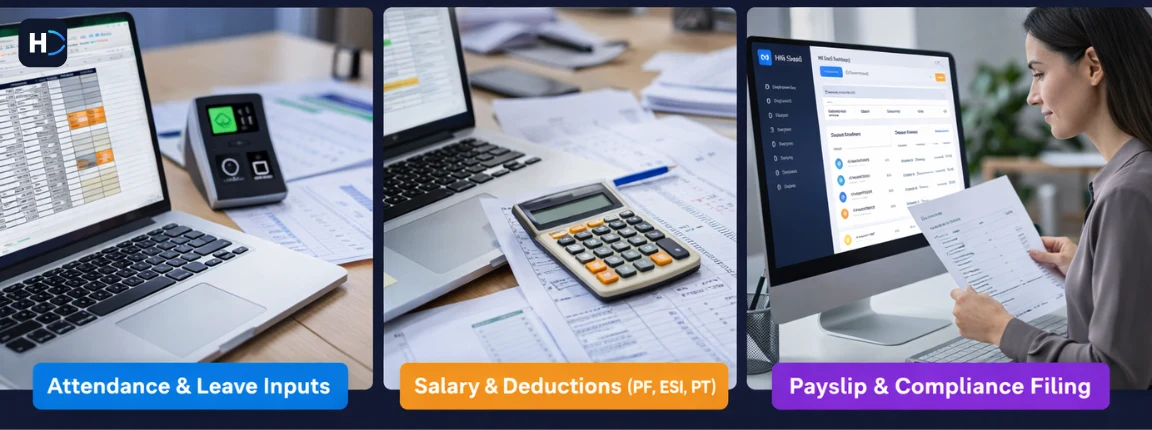
A wrong LOP deduction. A new joiner whose basic pay was entered incorrectly. An ESI contribution calculated on a salary that crossed the ceiling three months ago. These are not failures of diligence. They are failures of process. Manual payroll is structurally error-prone, and no amount of care fully compensates for the absence of automation.
This article identifies the seven payroll checks that Chennai HR teams most commonly get wrong when done manually and explains how payroll software automates each one with far less room for human error.
The seven payroll checks every Chennai HR team should automate are attendance consolidation, leave and LOP calculation, statutory deductions for PF, ESI, PT, and TDS, new joiner and exit processing, variable pay computation, payslip generation and distribution, and compliance filing with challan generation.
Why Manual Payroll Checks Fail Chennai Teams
Manual payroll is not just slow. It is architecturally fragile in ways that automation directly addresses.
- Fragmentation: Attendance lives in one system, leave in a spreadsheet, salary structures in a shared drive, and statutory rules in someone's head.
- Version drift: One person updates the salary structure while another processes payroll using an old version.
- Human fatigue: Payroll is repetitive, deadline-driven, and vulnerable to errors during month-end pressure.
Payroll software removes these failure modes by centralising data, enforcing a single version of rules, and replacing human calculation with validated workflows.
The 7 Payroll Checks to Automate
1. Attendance Consolidation
What goes wrong manually: Attendance arrives from multiple sources, including biometric terminals, office spreadsheets, and field updates. HR must consolidate everything before payroll starts. Errors at this stage flow into every downstream calculation.
What payroll software does: Attendance management software pulls data from biometric devices, mobile GPS attendance, and web portals into one dashboard. Missing punches, shift mismatches, and unresolved leaves become alerts that must be resolved before payroll proceeds.
Chennai context: Multi-location businesses with teams on Anna Salai, Manali, and Perungudi are especially vulnerable to attendance fragmentation.
Time saved: 4 to 6 hours per payroll cycle for a 100-person team.
2. Leave and Loss of Pay Calculation
What goes wrong manually: Leave balances often sit in spreadsheets that do not reflect recent approvals. When an employee exceeds their balance, LOP is calculated manually and entered into payroll. If leave types are miscategorised or approvals arrive late, the payroll input is wrong.
What payroll software does: Leave management software maintains a live leave ledger. Approved leave updates balances immediately, and when the balance reaches zero the system calculates LOP in real time and passes it directly into payroll.
Chennai context: Tamil Nadu holidays such as Pongal, Thai Poosam, Tamil New Year, and Karthigai Deepam must be excluded correctly from LOP calculations.
| Leave Type | Manual Risk | Automated Handling |
|---|---|---|
| Casual Leave | Balance not updated after approval | Real-time ledger update on approval |
| Earned Leave | Accrual miscalculated monthly | Auto-accrual per company policy |
| Sick Leave | Often not tracked separately | Separate ledger with medical proof flag |
| LOP | Calculated wrong when balance runs out | Auto-deducted and flows directly to payroll |
| Comp Off | Forgotten or miscounted | Generated automatically on worked holidays |
Time saved: 2 to 3 hours per payroll cycle. This also eliminates one of the most common sources of employee salary disputes.
3. Statutory Deductions: PF, ESI, Professional Tax, and TDS
What goes wrong manually: PF, ESI, Tamil Nadu Professional Tax, and TDS require accurate thresholds, ceilings, and filing logic. Doing this correctly by hand for a growing team is extremely difficult.
What payroll software does: It automates every statutory calculation based on rules configured once at setup. The engine applies PF ceilings, checks ESI eligibility monthly, applies Tamil Nadu PT slabs, and recalculates TDS when salary changes. For Chennai HR and finance teams who want a comprehensive reference, the Chennai payroll control guide for HR and finance teams covers the full pre-payroll, payroll, and post-payroll workflow.
| Statutory Item | Rate / Rule | Automation Benefit |
|---|---|---|
| Employee PF | 12% of basic plus DA | Auto-calculated with ceiling applied |
| Employer PF | 12% split between EPS and EPF | Split computed correctly every cycle |
| ESI Employee | 0.75% of gross if salary is Rs. 21,000 or less | Threshold checked monthly per employee |
| ESI Employer | 3.25% of gross | Stops when the employee crosses the ceiling |
| Tamil Nadu PT | Rs. 208 per month above Rs. 15,000 gross | Slab applied with half-yearly challan support |
| TDS | Income tax slab and declared investments | Annual projection recalculated monthly |
Compliance risk eliminated: Incorrect PF or ESI deposits can attract penalties from 5 to 25 percent of the shortfall.
4. New Joiner and Exit Processing
What goes wrong manually: New joiners may be missed if onboarding data is delayed. Leavers may receive a full month's salary if the exit was not communicated before payroll cut-off. Full and final settlements are frequently error-prone when processed by hand.
What payroll software does: Employee onboarding software captures joining date, probation status, and pay structure during onboarding, then calculates pro-rated salary automatically. Exit workflows trigger full and final settlement calculations with gratuity, leave encashment, and notice recovery logic built in.
Chennai context: IT companies on OMR and manufacturing units in Sriperumbudur with high movement or contract labour benefit heavily from automated joiner and leaver workflows.
5. Variable Pay and Allowance Computation
What goes wrong manually: Variable components such as performance bonuses, night shift allowances, sales incentives, travel reimbursements, and overtime are often calculated outside the main payroll file and merged late, creating version conflicts and arithmetic errors.
What payroll software does: It defines variable pay heads with formula-based rules. Inputs such as attendance, performance scores, sales figures, and overtime hours flow into the payroll engine from connected systems or structured uploads.
- IT and ITES: Performance bonuses and night shift allowances
- Manufacturing: Overtime at 2x rate and production incentives
- BPO and call centres: Attendance bonuses and weekend differential pay
- Retail and FMCG: Travel reimbursements, field allowances, and target bonuses
Critical rule: Overtime pay under the Tamil Nadu Factories Act should be calculated at twice the ordinary wage rate. Payroll software enforces that formula by default.
6. Payslip Generation and Distribution
What goes wrong manually: HR teams often generate payslips using templates or exports and then distribute them one by one. Wrong email IDs, template errors, or missing password protection create privacy and accuracy risks.
What payroll software does: It generates password-protected payslips automatically and publishes them to the employee self-service portal. Employees access them without HR intervention.
- Employee details, department, and designation
- Pay period and payment date
- Gross earnings and deduction breakdown
- Net pay and year-to-date figures
- Employer PF contribution and company details
Employee experience: Teams with self-service payslip access often report 60 to 70 percent fewer routine salary-related HR queries.
7. Compliance Filing and Challan Generation
What goes wrong manually: PF, ESI, PT, TDS, and Form 16 filings each have due dates and format requirements. Exporting payroll data, reformatting it, and uploading it manually creates repeated compliance risk.
What payroll software does: It generates ready-to-file outputs automatically after payroll closes. For teams building a stage-by-stage review process, the payroll processing checklist for Chennai HR teams provides a structured validation sequence from pre-payroll through post-payout compliance.
| Filing | Due Date | Software Output |
|---|---|---|
| PF ECR | 15th of following month | Ready-to-upload ECR file in EPFO format |
| ESI Return | 15th of following month | ESI contribution statement by employee |
| Tamil Nadu PT | Half-yearly in April and October | PT challan with correct slab values |
| TDS / Form 24Q | Quarterly | 24Q return file for TRACES upload |
| Form 16 | By June 15 each year | Individual Form 16 per employee |
Penalty avoided: Late PF deposit can attract a 12 to 25 percent penalty on the overdue amount.
Putting It All Together: The Automated Payroll Workflow
When all seven checks are automated, the monthly payroll process transforms from a multi-day manual effort into a structured, exception-driven workflow:
- Attendance locks at the cut-off date and exceptions are resolved before payroll begins.
- Leave ledger syncs automatically and LOP is flagged and confirmed.
- Variable pay inputs are received from connected systems or approved uploads.
- The payroll engine runs and all seven checks execute simultaneously.
- HR reviews exceptions only, not the full cycle.
- Payroll is approved and locked, and payslips are generated instantly.
- Statutory challans are generated and filed before deadlines.
Total active HR time for a 100-person payroll can fall to under three hours, down from two to three days of manual work.
Conclusion
Manual payroll is not a process that can be perfected. It can only be replaced. If your team is still evaluating whether the move to software is the right decision, the 7 signals that tell a Chennai business it is time to move from manual HR to software provides a clear decision framework. The seven checks described in this article represent the highest-risk and highest-effort parts of every Chennai payroll cycle. Each one is a point where human error is likely, statutory liability is real, and employee trust is at stake.
Payroll software does not just speed up these checks. It fundamentally changes their nature. Instead of hoping the calculation was done correctly, HR reviews an exception report and confirms that everything flagged by the software has been resolved. That shift from blind execution to supervised automation is where the real value lies.
For Chennai businesses navigating Tamil Nadu's specific compliance obligations, a multi-location workforce, and steady growth, automating these seven checks is not a luxury. It is the foundation of a payroll process that can be trusted.
Takeaway: Automate all seven checks and your payroll cycle shrinks from days to hours, compliance risk drops sharply, and your HR team can focus on work that actually requires human judgment.